

Updated · Originally published
Tips and tricks for faster D365 F&O performance
Today, we're taking a closer look at the performance of Microsoft's Dynamics 365 F&O, an enterprise-grade ERP system that has evolved significantly.
Now divided into and Dynamics 365 Supply Chain Management, this evolution underscores Microsoft's dedication to delivering specialized, high-performance ERP solutions. These are meticulously crafted to meet the unique business demands in finance and supply chain management sectors.
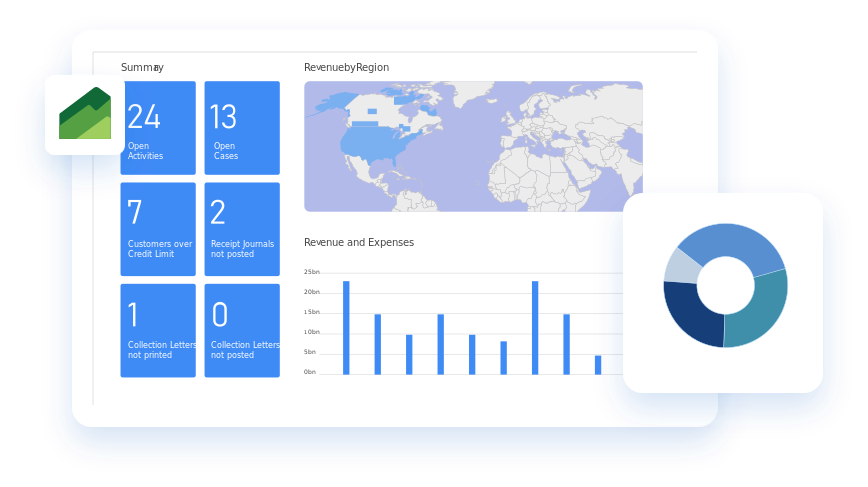
From server tweaks to data management best practices, these insights will help you optimize your ERP solution, ensuring it runs faster, smoother, and more effectively than ever before.
Optimizing (F&O) is crucial for businesses aiming for efficiency and competitive edge. Optimized ERP systems like Dynamics 365 F&O drive productivity, reduce operational costs, and enhance user experience. Efficient F&O systems streamline processes, improve data accuracy, and enable better decision-making.
As companies increasingly rely on integrated ERP solutions, optimizing Dynamics 365 F&O becomes essential for staying agile, responsive to market demands, and ensuring long-term success in a technology-driven business environment.
Performance challenges in Microsoft Dynamics 365 F&O
Common performance challenges in Microsoft Dynamics 365 F&O include issues with system responsiveness, data processing delays, and difficulties in handling large volumes of transactions. Users often face slow loading times, which can impact critical business processes.
Customizations, if not managed properly, can lead to system lags and inefficiencies. Furthermore, inadequate hardware or improper cloud configurations can significantly hamper the software's performance.
Addressing these challenges is vital for businesses to ensure that their Dynamics 365 F&O system operates smoothly and supports their operational needs effectively.
Recommended Reading: Top 15 Microsoft Dynamics 365 Partners & Consultants 2024
How to Optimize Performance in Dynamics 365 F&O
1. Enhancing Server Performance:
Specific server configurations, security settings, and workflow management for Dynamics 365 F&O.
Enhancing server performance for involves optimizing server configurations, security settings, and workflow management. This includes choosing the right server hardware or cloud service that matches the system's needs, ensuring that security configurations don't unnecessarily burden the system, and managing workflows to prevent bottlenecks.
Efficient server setup can significantly improve the software's responsiveness and processing speed, which is crucial for businesses relying on Dynamics 365 F&O for their daily operations. Careful consideration and regular monitoring of these aspects can lead to a more .
2. Customization for Better Performance:
Let's explore how customization impacts performance and provide tips for efficient customization practices.
Customization can significantly impact the performance of Microsoft Dynamics 365 F&O. While it allows for tailored solutions, excessive or inefficient customization can lead to system slowdowns and complexities.
For better performance, we recommend using standard features where possible, minimizing and streamlining customizations, and regularly reviewing and refining custom codes.
Businesses should also utilize Dynamics 365's built-in tools and frameworks for customization. These tools are optimized for the system and ensure any added functionality aligns with the core system's capabilities and performance standards.
Effective data management in Dynamics 365 F&O is vital for maintaining system performance and accuracy. Regular data cleanup helps prevent data clutter, which can slow down the system. To manage data efficiently:
- Identify and Remove Obsolete Data: Use built-in tools to identify redundant or outdated data that can be safely removed.
- Utilize Data Archiving Features: Archive old data that is not regularly accessed but needs to be retained.
- Implement Data Retention Policies: Define clear policies for how long data should be retained and automate the deletion process for data that exceeds this time-frame.
- Leverage Data Cleanup Tools: Use Dynamics 365's data cleanup tools to streamline this process.
- Regular Audits: Conduct regular audits to ensure data is being managed efficiently and in line with your policies.
Effective data management not only enhances performance but also ensures data integrity and compliance with data regulations.
4. Optimizing Cloud Performance:
Dive into selecting the right cloud services and configurations for Dynamics 365 F&O to ensure optimal performance.
Optimizing cloud performance for Dynamics 365 F&O involves careful selection of cloud services and configurations. Key factors include choosing a cloud provider that offers the necessary scalability and reliability, aligning cloud resources with the workload requirements, and implementing efficient data storage and management practices.
Regular monitoring and adjustments based on performance metrics are crucial. By optimizing cloud infrastructure, businesses can ensure that Dynamics 365 F&O runs smoothly, providing the needed performance and scalability to support their operations effectively.
Key cloud service providers for hosting and managing applications like Microsoft Dynamics 365 F&O include , Amazon Web Services (AWS), Google Cloud Platform (GCP), IBM Cloud, and Oracle Cloud.

These providers offer services like IaaS, PaaS, and SaaS, plus tools for optimization, scalability, and security. Choosing a provider depends on business needs, cost, scalability, data center locations, and system integration capabilities.
5. Improving User Interface and Experience:
Here we explore designing user interfaces that are both user-friendly and efficient, focusing on Dynamics 365 F&O.
To improve the user interface and experience in Dynamics 365 F&O, focus on simplicity and intuitiveness. Design interfaces that are clean, with easy navigation and minimal clutter. Ensure that the most frequently used features are easily accessible.
A well-designed UI in Dynamics 365 F&O not only makes users happier but also boosts productivity and encourages more people to use the system.