

Why Dynamics 365 Training Cannot Be a One-Time Exercise
A training program can be accurate at go-live and still become unreliable a few months later. Dynamics 365 environments change as teams add customizations, adjust business processes, introduce new roles, and adopt new features. The problem is that Dynamics 365 training materials often do not change at the same pace. Training and documentation go hand in hand. When users can’t find clear, up-to-date guidance, they’re more likely to rely on support teams, workarounds, or outdated information. And the impact goes beyond training. Poor documentation can create hidden costs that affect productivity, support, and growth. Read on:
Microsoft explicitly describes training as an ongoing process that should reflect changes in the Dynamics 365 ecosystem. That has an important operational consequence. A sales team trained the right process today, but a new approval step, field, or interface change can make part of that training outdated tomorrow. The real question is whether the guidance they receive still matches the tasks they are expected to perform now.
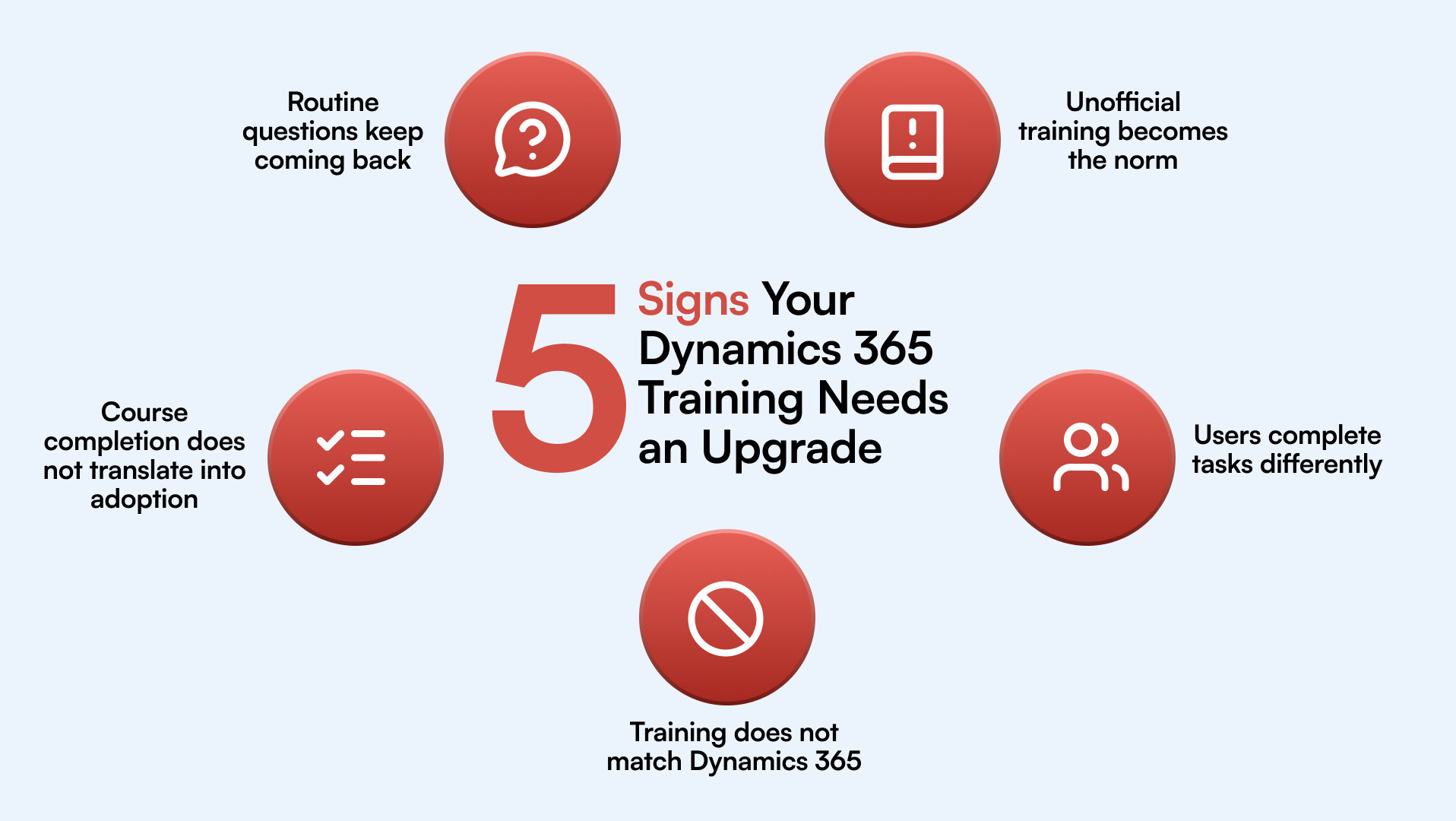
5 Warning Signs of Outdated Dynamics 365 Training
1. Users Keep Asking How to Complete Routine Tasks
One of the clearest signs that end-user training is falling short is when users keep asking for help with tasks they perform regularly. The questions are usually simple: Where do I update this record? Which field is mandatory? What happens after I submit this? The issue is not always that users have forgotten the training. More often, the training was too broad, delivered too early, or disconnected from the exact moment the user needed to apply it.
This creates a pattern. Experienced employees become informal support desks answering the same questions repeatedly, and IT or application teams spend time resolving issues that should not require a support ticket. A stronger user training model assists users to complete role-specific tasks without having to leave the application, search through long documents, or rely on a colleague. If routine questions remain routine months after training, that is a strong signal that your current training approach needs an upgrade.
2.Employees Rely on Colleagues, Notes, or Screenshots Instead of Official Training
When users stop turning to official training materials, they usually build their own support system instead. That might mean asking the same experienced colleague for help, saving personal notes, keeping old screenshots, or creating quick reference documents for the team. This is often a sign that the existing Dynamics 365 training documentation is difficult to find, too detailed for the task at hand, or no longer reflects how the system is used today. The risk grows when knowledge becomes tied to specific people. If those employees change roles or leave, teams can lose the practical know-how they have been depending on.
3. Different Users Complete the Same Task Differently
Inconsistent task execution is another sign that Dynamics 365 training is not translating into consistent day-to-day behavior. Strong training best practices reinforce not just where users need to click, but why specific steps matter, which fields are required, and what happens downstream when those steps are missed. This is where ClickLearn comes in handy. It helps you auto-update documentation in various formats into a complete eLearning portal, with everything in one place
Read on:
4.Training Materials No Longer Match the Current Dynamics 365 Experience
Nothing destroys trust in Dynamics 365 training materials faster than instructions that no longer match the system on screen. A user opens a guide, but the button has moved. A field has been renamed. The required step has changed. Or the process in the document reflects how the business worked before a recent update or customization. After this happens a few times, users stop checking the official material altogether.
5. Training Completion Is High, but User Adoption Remains Low
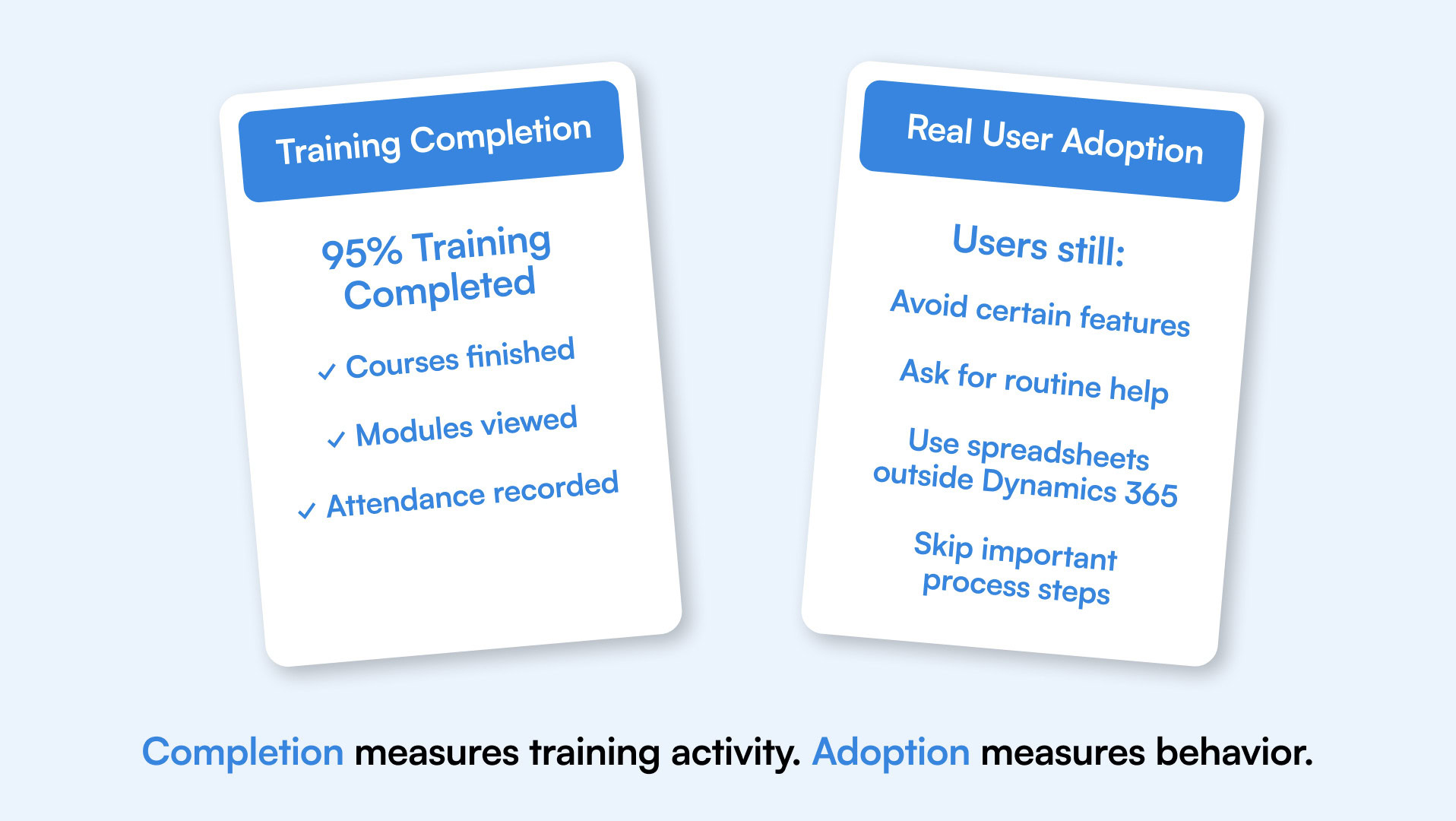
High course completion rates can look reassuring, but they do not tell you whether users can apply what they learned during real work. This gap becomes visible when employees finish formal training but still avoid certain features, fall back to spreadsheets, skip required steps, or depend on support for routine tasks.
That distinction matters because user adoption is measured by how consistently and confidently people use the platform, not by how many modules they completed. The problem may be timing, relevance, or format. Users may have received training that was too generic for their role or are expected to remember too much without support in the flow of work. Instead of treating learning as a one-time event, organizations can reinforce knowledge during actual task completion and identify where users continue to struggle. It’s important that your training program is evaluated against user behavior, not attendance metrics
What Better Dynamics 365 Training Looks Like
Upgrading your training doesn’t necessarily mean adding more courses. In many cases, the bigger need is to make training more relevant, easier to access, and better aligned with how users work. A stronger approach starts with role-specific guidance. Sales, finance, customer service, and operations teams do not use Dynamics 365 in the same way, so end-user training should reflect the tasks, decisions, and process steps that matter to each role. Training also needs to stay current. When applications or internal processes change, the supporting content should change with it. That reduces the risk of employees relying on outdated instructions or creating their own workarounds.
Most importantly, support should be available at the point of need. Dynamics 365 in-app guidance can help users complete unfamiliar or complex tasks without leaving the application to search through documents or replay a full course. This is the shift from one-time training to continuous digital adoption. That means training needs to evolve alongside Dynamics 365, business processes, and user roles. Regularly reviewing training materials, updating guidance, and supporting users at the point of need can prevent small gaps from becoming long-term adoption problems. Finally, the better question is not, “Have we trained our users?” It is, “Can they use Dynamics 365 confidently today?”.
If any of these training challenges sound familiar, learn how CKS Packaging addressed common Dynamics 365 training challenges.
Related posts:
- Navigating Pricing in the Dynamics Space: Why Transparency Matters
- Best Practices for Microsoft 365 Integration: How to Optimize the Sales Order Agent in Business Central
- Data Integration in 2026: AI Agents, Market Growth, and What IT Leaders Need to Know
- HubSpot-Dynamics 365 Sync Guide for 2026 & Beyond
- Top Data Integration Challenges and Solutions for MS Dynamics Teams in 2026