

|
Purchasing Insights for Dynamics 365 BCPower BI Purchasing Reporting for Dynamics 365 BC |
Product Verticals: All Industries
Business Processes: Business Intelligence, Purchasing, Reporting
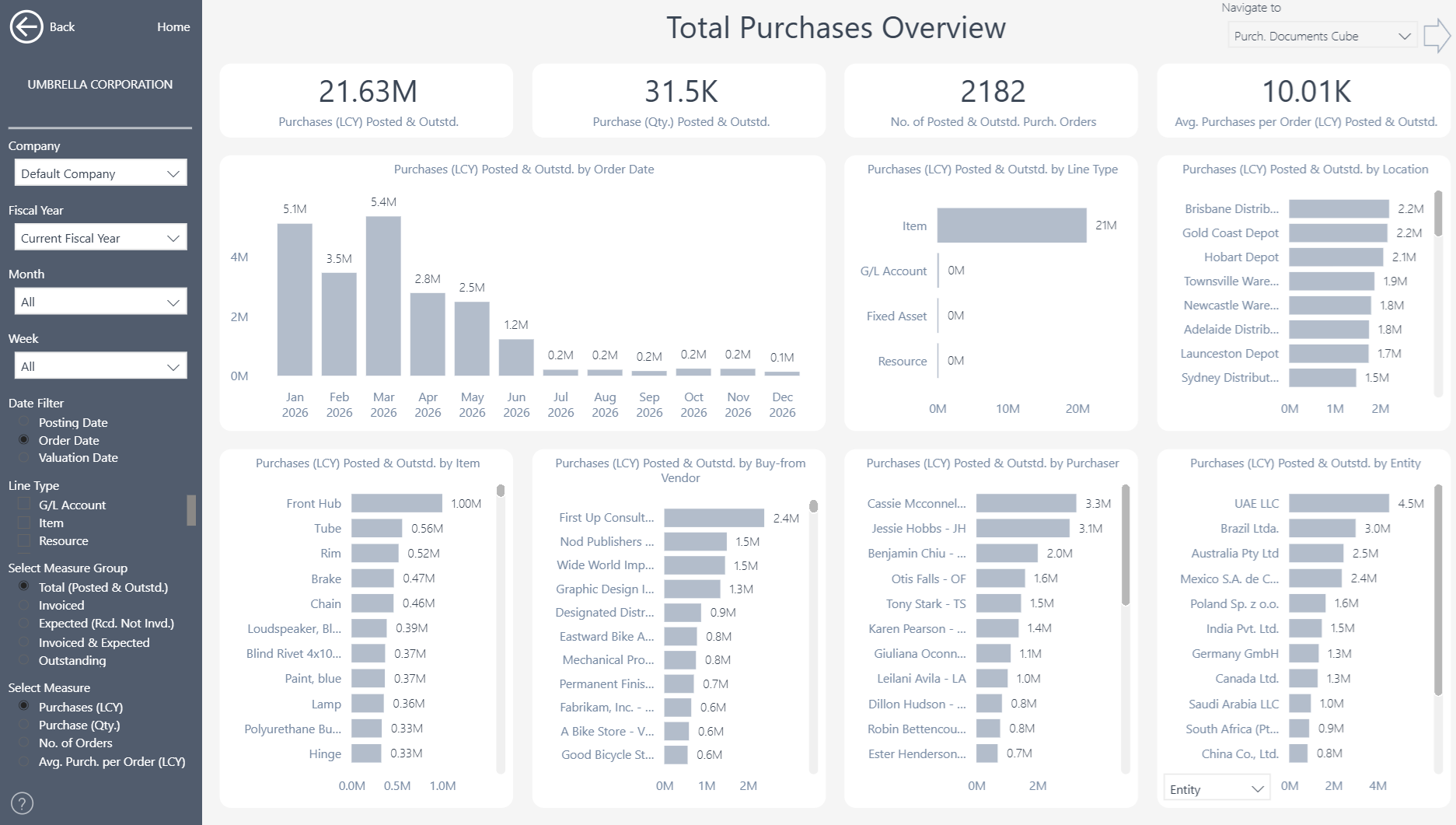
Purchasing Insights gives Microsoft Dynamics 365 Business Central users 45+ ready-to-use Power BI reports. In addition, it helps procurement and finance teams understand purchasing activity, supplier performance, outstanding commitments, and receipt performance.
 |
 |
Power BI Purchasing Reporting for Business Central
Turn Business Central purchasing data into clear dashboards that support everyday decisions. Teams can track spend, compare suppliers, identify late receipts and investigate results without relying on static spreadsheets.
What You Can Analyze
More than 250 measures and over 25 dimensions provide a detailed view of purchasing activity and supplier performance. Users can move from headline results to purchase documents and transaction-level detail.
- Total Purchases and Purchasing Overview
- Purchases by supplier, item, resource and other dimensions
- Outstanding purchase orders and commitments
- New and lost supplier analysis
- Purchase receipts, on-time receipt and fill-rate analysis
- Purchase documents and transaction-level detail
Control Spend and Supplier Performance
Compare purchasing activity across suppliers, items, companies and periods. Procurement teams can identify spending changes, review supplier concentration and understand which commitments may affect cash flow or inventory. In addition, receipt analysis also connects purchasing decisions with operational performance. Teams can monitor on-time receipts and fill rates while identifying the suppliers or items behind delays. As a result, supplier reviews and negotiations gain a consistent evidence base.
Understand Outstanding Purchase Commitments
Open purchase orders show what the business expects to receive and pay for. Interactive filters help users separate urgent commitments from longer-term demand. Users can then drill into purchase documents and source transactions when they need more detail. Consequently, finance, procurement and operations teams can discuss spending, delivery and availability without reconciling separate reports first.
Improve Supplier and Purchasing Decisions
Bring purchasing trends, supplier performance, delivery results and outstanding commitments into one reporting experience. Therefore, teams can therefore identify issues earlier and make purchasing decisions using current Business Central data.
Multi-Company and Flexible Analysis
Bring purchasing information from multiple Business Central companies into one reporting view. Users can then filter and compare results by company, date, location, supplier, item, purchaser and other relevant dimensions. At the same time, the consolidated view preserves access to individual companies, purchase documents and source transactions.
Reporting Without Custom Development
Purchasing Insights connects directly to Microsoft Dynamics 365 Business Central. This means procurement, finance and operational teams can start with proven reports instead of building every dashboard from scratch. Teams can also use the underlying semantic model to create additional Power BI reports or analyze trusted Business Central data in Microsoft Excel. In this way, the app provides a flexible reporting foundation without requiring extensive custom development.
Explore Purchasing Insights
Learn more about , review current , or book a tailored .
Ready to explore your own Business Central purchasing data? Start a .
Submit your review | |