

|
Accounts Receivable Insights for Dynamics 365 BCPower BI Receivables Reporting for Dynamics 365 BC |
Product Verticals: All Industries
Business Processes: Accounting, Business Intelligence, Collections, Financial Management, Financial Reporting, Multicurrency, Reporting
Accounts Receivable Insights gives Microsoft Dynamics 365 Business Central users 10+ ready-to-use Power BI reports. In addition, finance teams can improve cash flow visibility, reduce overdue debt, and make better collection decisions.
 |
 |
Power BI Accounts Receivable Reporting for Business Central
Start with ready-to-use accounts receivable reports covering outstanding balances, overdue invoices, aging, payment behavior, currencies and transaction-level detail. As a result, your team can manage receivables through one consistent reporting solution.
What You Can Analyze with Accounts Receivable Insights
More than 100 measures and over 20 dimensions provide a detailed view of customer balances, payment behavior and collection priorities.
- Outstanding and overdue customer balances
- Invoices due within the next 30, 60 or 90 days
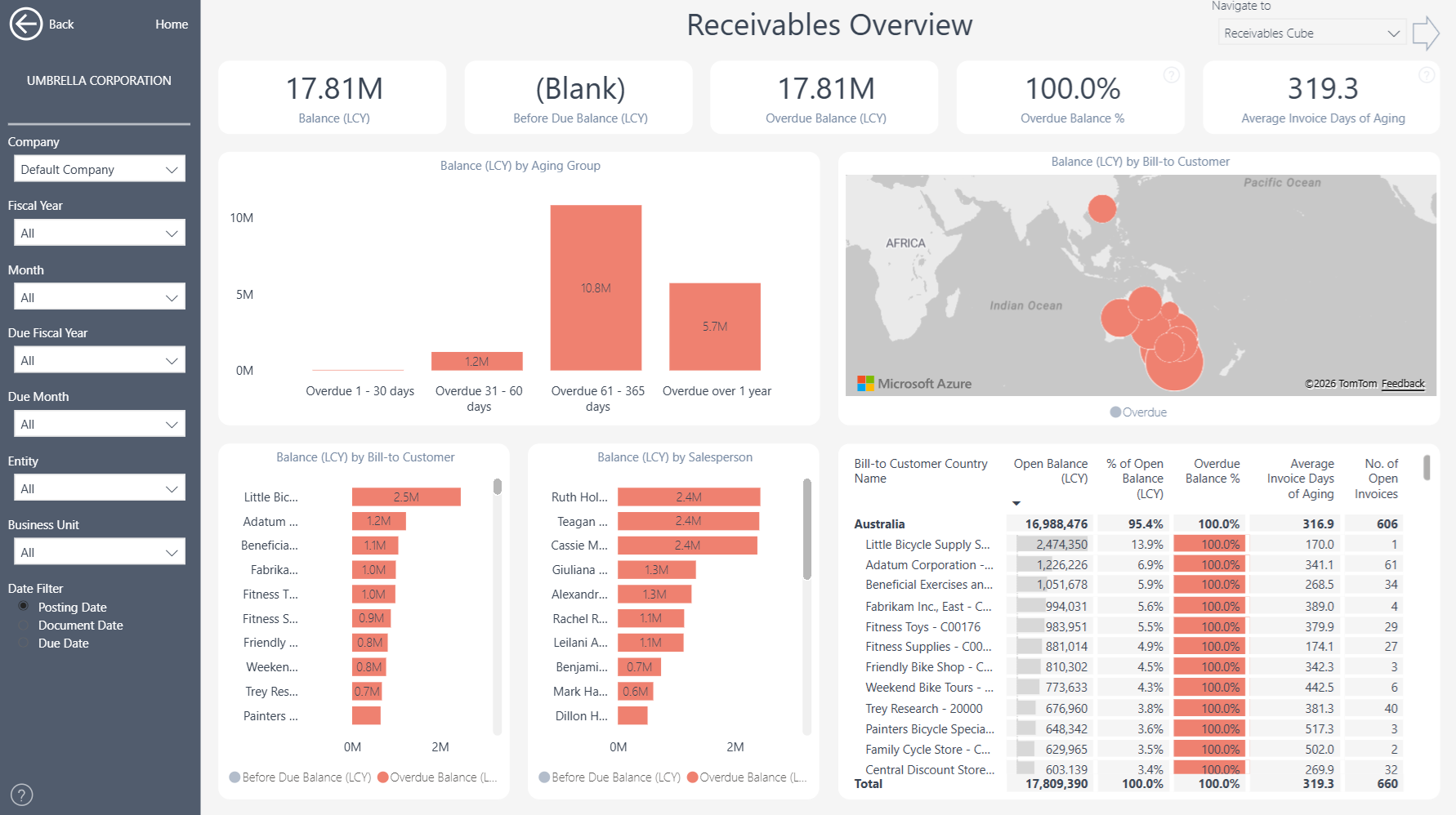
- Customers with the largest outstanding balances
- Receivables across different aging periods
- Customer payment behavior and late-payment trends
- Balances by company, customer, salesperson, currency and payment terms
- Customer ledger entries and supporting transactions
- Collection activity requiring the greatest attention
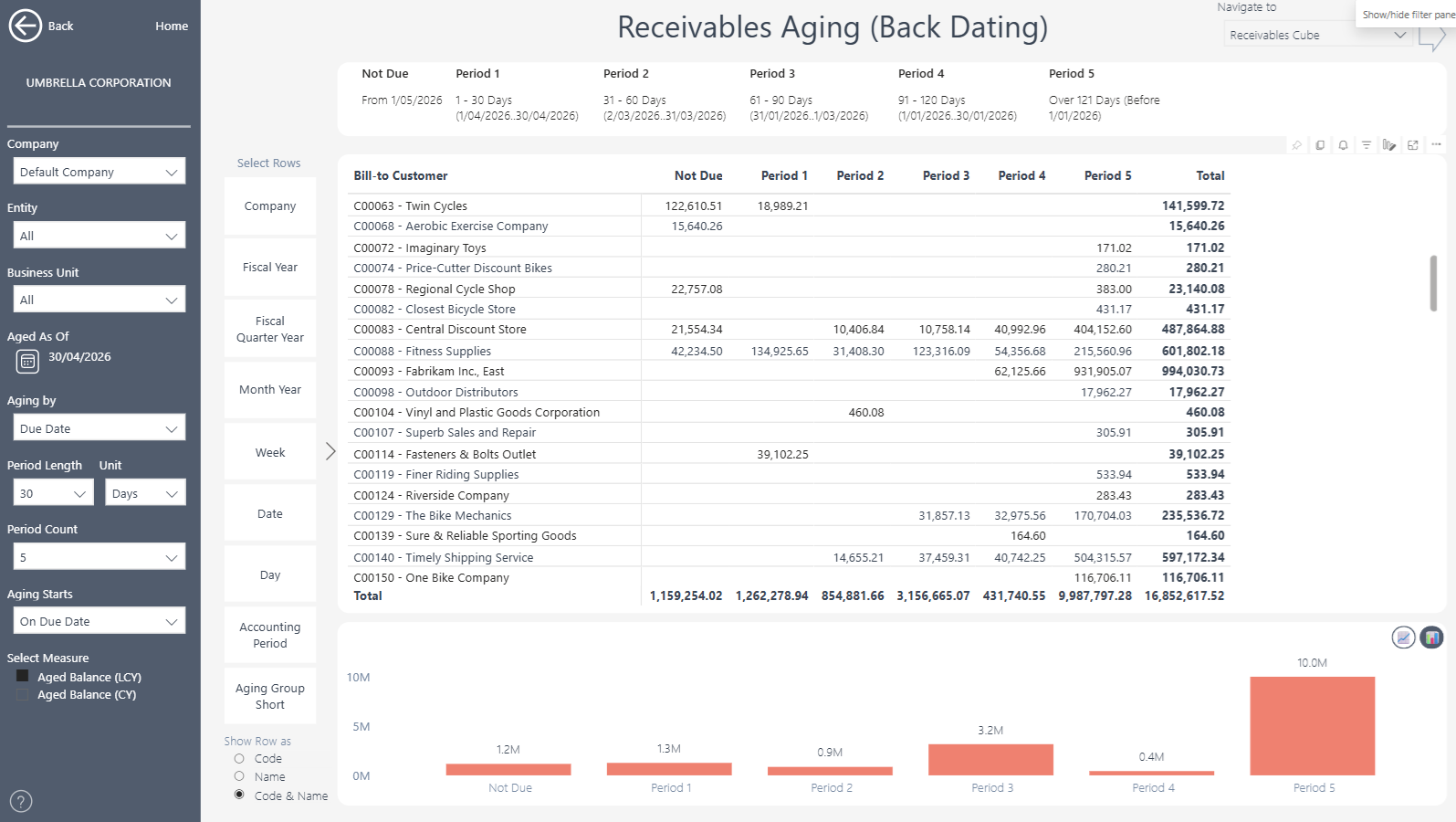
Ready-to-use reports include Receivables Overview, Receivables Aging, Amounts by Currency and Customer Statistics. When further investigation is needed, users can move from these headline reports to detailed customer and transaction analysis.
Flexible Aging and Historical Receivables Analysis
Select any historical Aged As Of date to see customer balances as they stood at that point in time. Transactions can also be aged by due date, posting date or document date. Users can control the length, unit and number of aging periods displayed. They can also choose whether aging starts on the due date or the following day. Consequently, the reports can follow your organization’s collection processes and internal reporting policies. These options simplify month-end and year-end reviews. They also support reconciliations, audit requests and investigations into overdue balances.
Focus Collection Activity and Improve Cash Flow
Identify which customers and overdue invoices need immediate attention. For example, finance teams can compare outstanding balances, due dates, payment terms and historical payment behavior before prioritizing collection activity. This clearer view helps teams spend less time preparing spreadsheets and more time addressing overdue debt. It also supports more informed customer and credit-control discussions.
Move from Aging Totals to Transactions
Headline balances provide a clear starting point for analysis. Users can then drill through to customer ledger entries and supporting transactions when they need more detail. This, in turn, makes it easier to investigate reconciliations, audit queries and unexpected changes in customer balances.
Multi-Company and Multi-Currency Receivables Reporting
Bring accounts receivable information from multiple Business Central companies into one reporting view. Users can then filter and compare results by customer, salesperson, payment terms, company, department, location, currency and other Business Central dimensions. Multi-currency reporting also helps teams review balances in local and reporting currencies. At the same time, the consolidated view preserves access to individual companies and source transactions.
Receivables Reporting Without Custom Development
Accounts Receivable Insights connects directly to Microsoft Dynamics 365 Business Central. This means finance teams can start with proven reports instead of developing every dashboard from scratch. Teams can also use the underlying semantic model to create additional Power BI reports or analyze trusted Business Central data in Microsoft Excel. In this way, the app provides a flexible reporting foundation without the time, cost and maintenance requirements of a full custom data warehouse.
Explore Accounts Receivable Insights
Learn more about , review current , or book a tailored .
Ready to explore your own Business Central accounts receivable data? Start a .
Submit your review | |