Two people read two Microsoft documents about the same licence and reach two answers. Your partner quotes the Dynamics 365 Licensing Guide. Your auditor quotes the Microsoft Product Terms. Both are reading real Microsoft material. Only one of them is reading your contract. That gap is not a filing error. Microsoft builds it in by the way it publishes licensing material. And it decides who pays when the two readings differ.
Which Microsoft Document Actually Binds You?
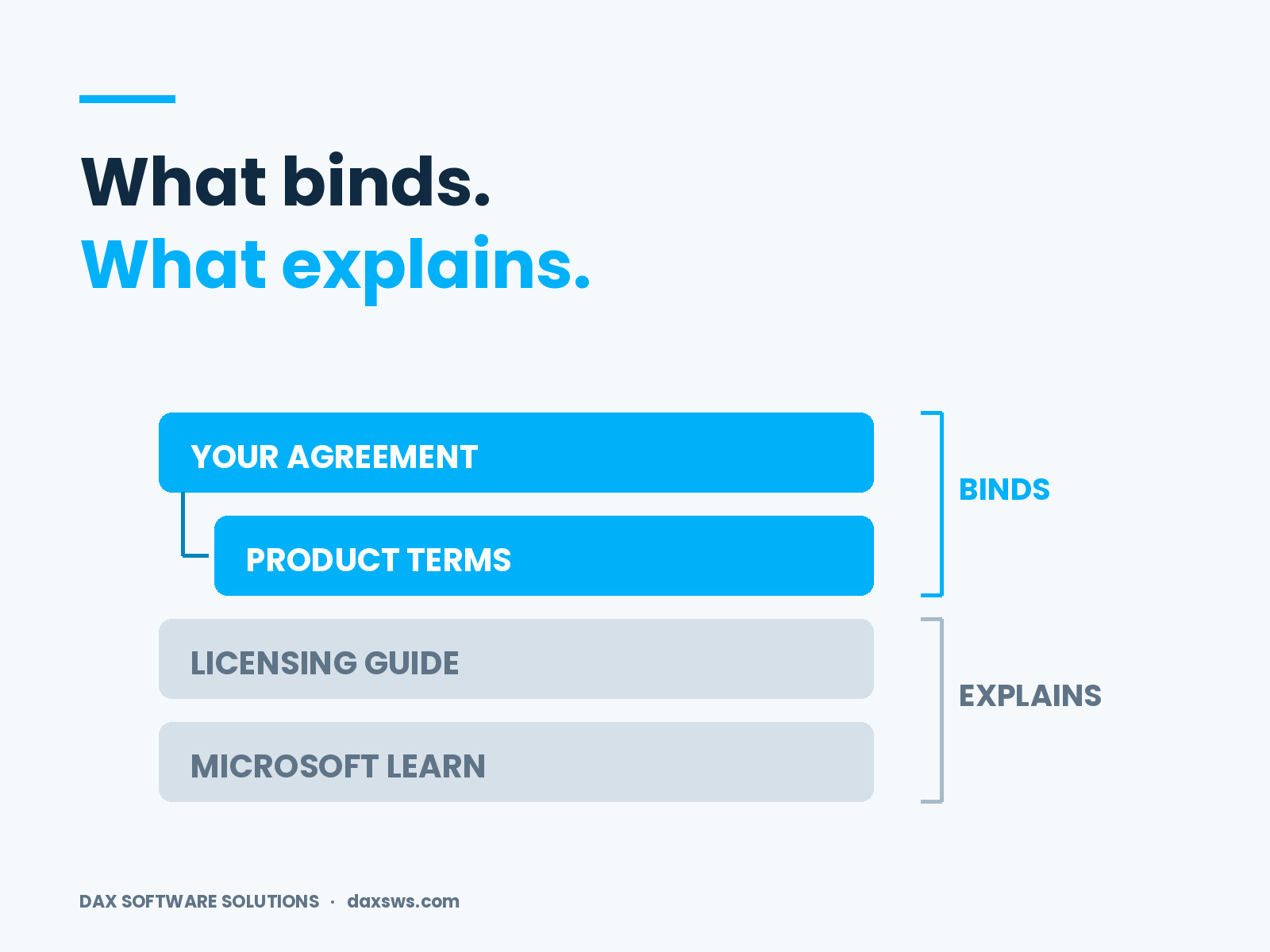
Your agreement binds you, and the are part of it. Microsoft's states that "Product Terms are a component of customers' broader agreement with Microsoft." The same page is just as clear about the rest. Guides and briefs are "not part of customers' agreement with Microsoft. " And where a resource conflicts with the agreement, "the terms and conditions of the agreement control."
The Dynamics 365 licensing guidance page says the same thing from the other side. The guide "is not a legally binding licensing rights document." Nor does it "supersede or replace any legal documentation covering use rights." So the order is settled. Your agreement sits at the top. The product terms sit inside it. The guide sits outside, and so do the product pages on Microsoft Learn.
Two documents bind you. Two explain what they mean.
Why the Guide Wins the Argument Anyway
Because it is the document people can read. The guide has tables, scenarios, and worked examples. It answers the question a project lead is asking, in that person's words. The Product Terms answer a narrower question in contract language. They also assume a reader who knows the structure already. So the guide becomes the working reference by default. Budgets rest on it. Teams sign off role designs against it. Nobody opens the binding document until an audit, a renewal, or a dispute forces the check. By then the system is already built.
How Do the Two Documents Drift Apart?
They drift because they publish on different clocks with different notice. Microsoft reserves the right to "review or update this document at any time without notice" for the guide. The Product Terms follow a published cadence, generally the first of each month, with an effective-date selector and a summary of changes.
So one document moves quietly. The other moves on a schedule you can audit. Two documents at two speeds will separate. The only real question is whether anyone spots the gap before it costs money. We traced one version of that gap in .
Which Microsoft Product Terms Version Applies to You?
Fix the date before you argue about the answer. Every licensing question is a question about a moment in time. Which terms were in force when you signed, and which apply today. The Product Terms site answers both. It offers an effective-date selector and a summary of changes. An archive covers February 2021 and earlier.
Your agreement then decides which published version governs you. Microsoft's FAQ says the agreement sets which terms apply. That includes the promise Microsoft makes under existing licences when use rights change. The FAQ gives one worked example. The management definition in force at the start of your current term stays in force until the next renewal.
What Do You Do When Your Partner and Your Auditor Disagree?
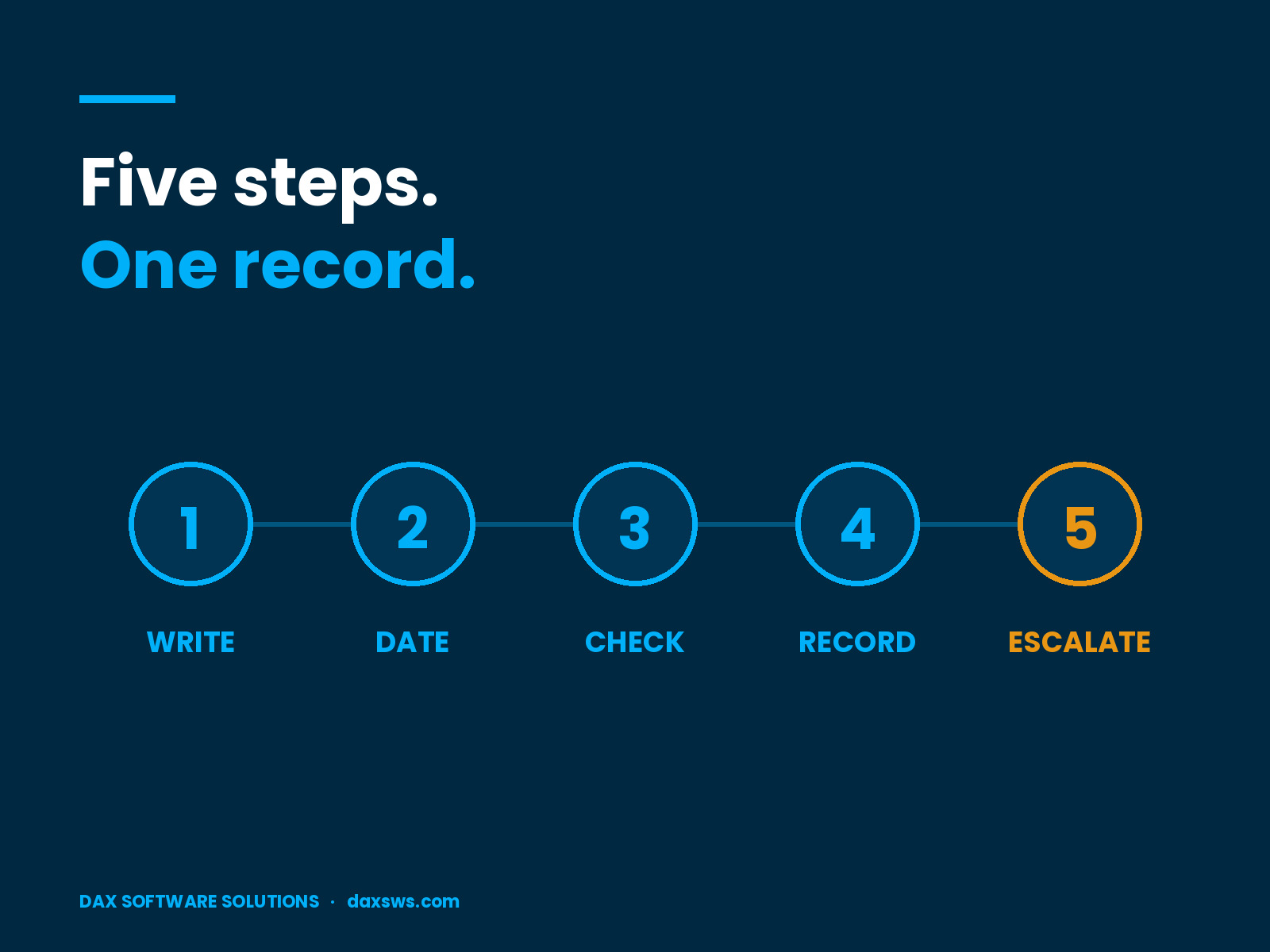
Run a short set of steps rather than a debate. Five of them settle most cases.
Write down both readings. Name the document, the edition or effective date, and the page or clause. Vague disagreements rarely resolve.
Check the Product Terms for the dates that matter. Use the effective-date selector for your enrollment start, your current term, and today.
Check your agreement for a lock. Some definitions hold for the whole term. They do not move with the monthly update.
Record the conclusion and date it. Name every document and edition you relied on, because this is the artifact an auditor asks for.
Escalate anything unresolved in writing through the partner who holds your contract or your Microsoft account team. Keep the response.
A disagreement needs a procedure. The output is a dated record.
The Third Voice Nobody Counts
Product documentation is a third source, and it is neither contract nor guide. Microsoft Learn describes how the software behaves. It tells you which restricted Dataverse tables exist, or how a security role maps to a licence. Architects read it and treat it as the last word. In day-to-day terms, it is.
It is still not a licensing instrument. A design choice built only on those pages can be right in the system and costly on the invoice. That is how a licence position ends up .
Who Owns the Reading?
Usually nobody, and that is the real finding. The partner reads the guide. The architect reads the Learn pages. Procurement reads the price list. Nobody reads the product terms until the audit letter lands.
The owner needs two halves. One half knows the systems, the roles, and the links between them. The other half knows what the firm signed. Those halves usually sit with two people, so the review only works when both turn up. Then set a rhythm. Once a year at minimum, and again whenever a renewal nears.
Frequently Asked Questions
Are Microsoft licensing guides legally binding?
No. Microsoft states that the Dynamics 365 Licensing Guide is not a legally binding licensing rights document and does not supersede legal documentation covering use rights.
What are the Microsoft product terms?
They are a component of a customer's broader agreement with Microsoft. They cover what you can buy, how you buy it, and how you may use the software and online services.
How often do the Product Terms change?
The site updates on a rolling basis, generally on the first of each month. An effective-date selector and a summary of changes show what applied on a given date.
Which version of the Microsoft Product Terms applies to me?
Your agreement decides. Some definitions lock at the start of a term and hold until renewal. So today's published version is not always the one that governs you.
Where can I find older product terms?
The current site covers recent dates through its selector. Microsoft also keeps an archive for February 2021 and earlier.
What to Settle Before Your Next Renewal
Microsoft has already answered the question of authority. The agreement controls. The product terms sit inside it. Everything else explains rather than binds. The open question is about people. Someone has to read the binding document, note what it said, and date the note. Until that job has a name on it, your position rests on whichever source was easiest to read.
Microsoft's is informational and changes without notice. Check your own position against your agreement with Microsoft, or with the partner who holds your contract, before acting on any of this.
At DAX Software Solutions, we design, build, and support Dynamics 365 systems. We keep the commercial reading tied to what is in production, rather than parked in a separate talk. Role design, integration, and environment strategy all move a licence position, so they belong in the same review. If nobody has checked your position against the document that governs it, .